1. Export a CSV marker file from Pix
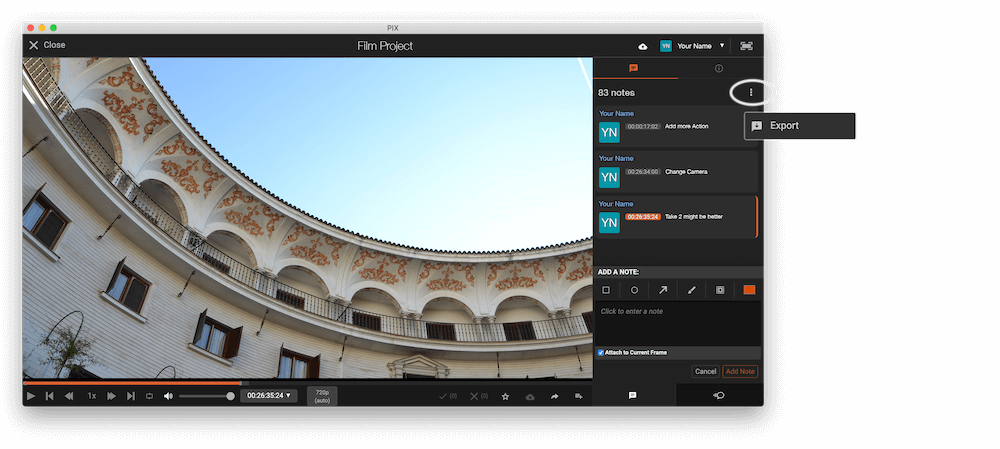
Open the comments panel on the right side in Pix. Press the three dots and select "Export". Now you can then download the CSV file from Pix.
2. Use the "Конвертер маркерів" to convert the CSV marker file into a ptx marker file
Open the free Конвертер маркерів, select "Pix Systems > Comments (.csv)" and set "convert" to "Pro Tools > PTX File (.ptx)". Generate and download the file. Якщо у вас виникли проблеми з конвертацією файлу, ви можете звернутися до безкоштовної служби підтримки.
3. Import the ptx marker file into Avid ProTools
To import markers go to "File -> Import -> Session Data". Select the ptx file and make sure to check the "Ruler Markers" box in the Session Data panel before pressing OK. Your markers should now be imported into our ProTools Session.
🚀 Готово
Поки що все! Якщо цей посібник був корисним, поділіться ним, щоб підтримати нас. Якщо у вас є пропозиції, як покращити робочий процес, повідомте нам!