The demo version processes the whole Media Pool but only copies the first 5 sources per Timeline.
Requires macOS 14 or later · Windows 10 or later
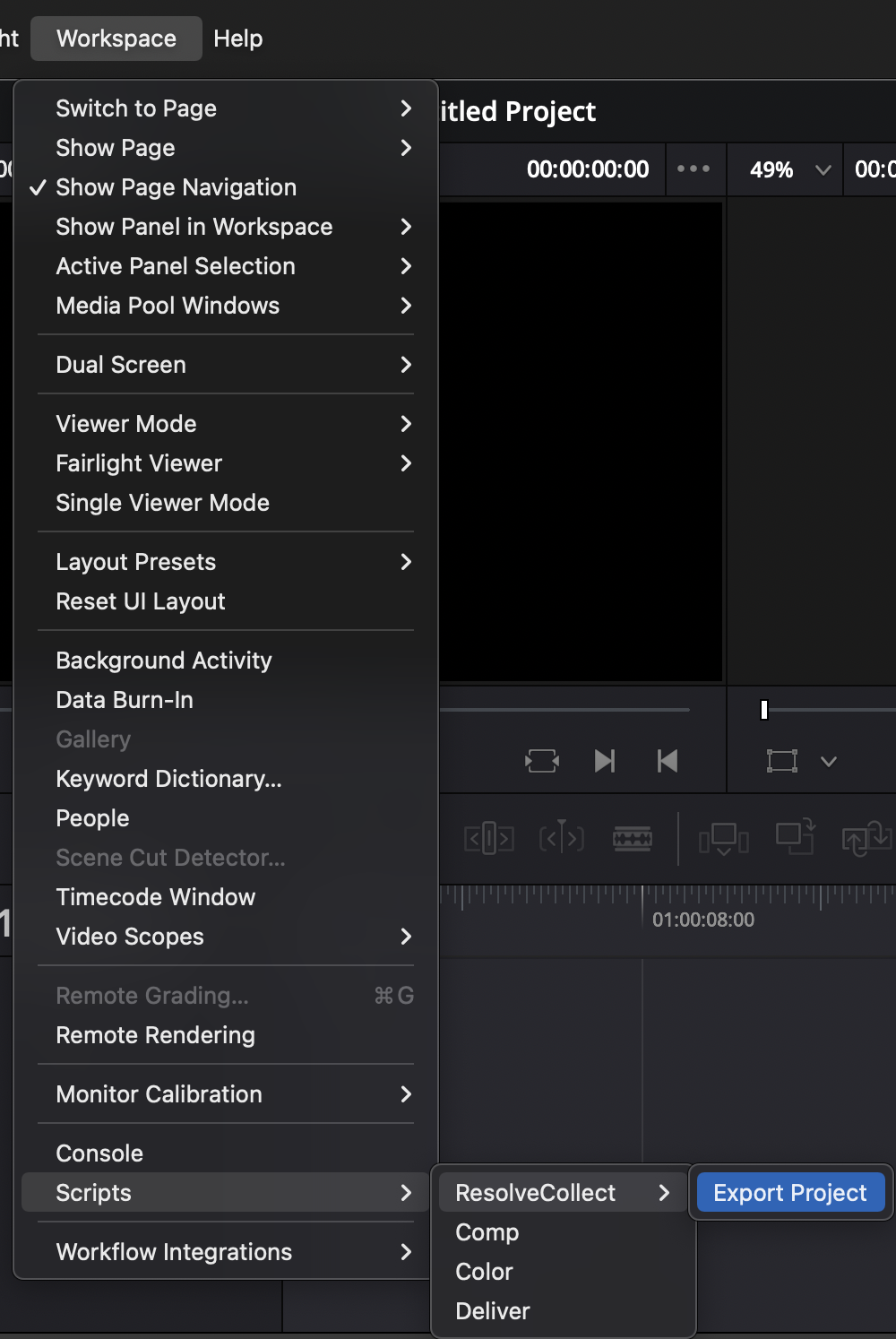
Load a DaVinci Resolve Project (.drp), Timeline (.drt) or Bin (.drb) file exported from Resolve v15–v17. For DaVinci Resolve 18 or later, use the bundled Export Project script to generate a Resolve Collect Project (.rcp) file via Workspace → Scripts → ResolveCollect → Export Project. Or use a project sequence as .xml from Adobe Premiere Pro.
Resolve Collect scans through the file, finds the Media Pool and all Timelines, and checks whether it can locate each source file, reporting the status in the Status column before you copy a single byte.
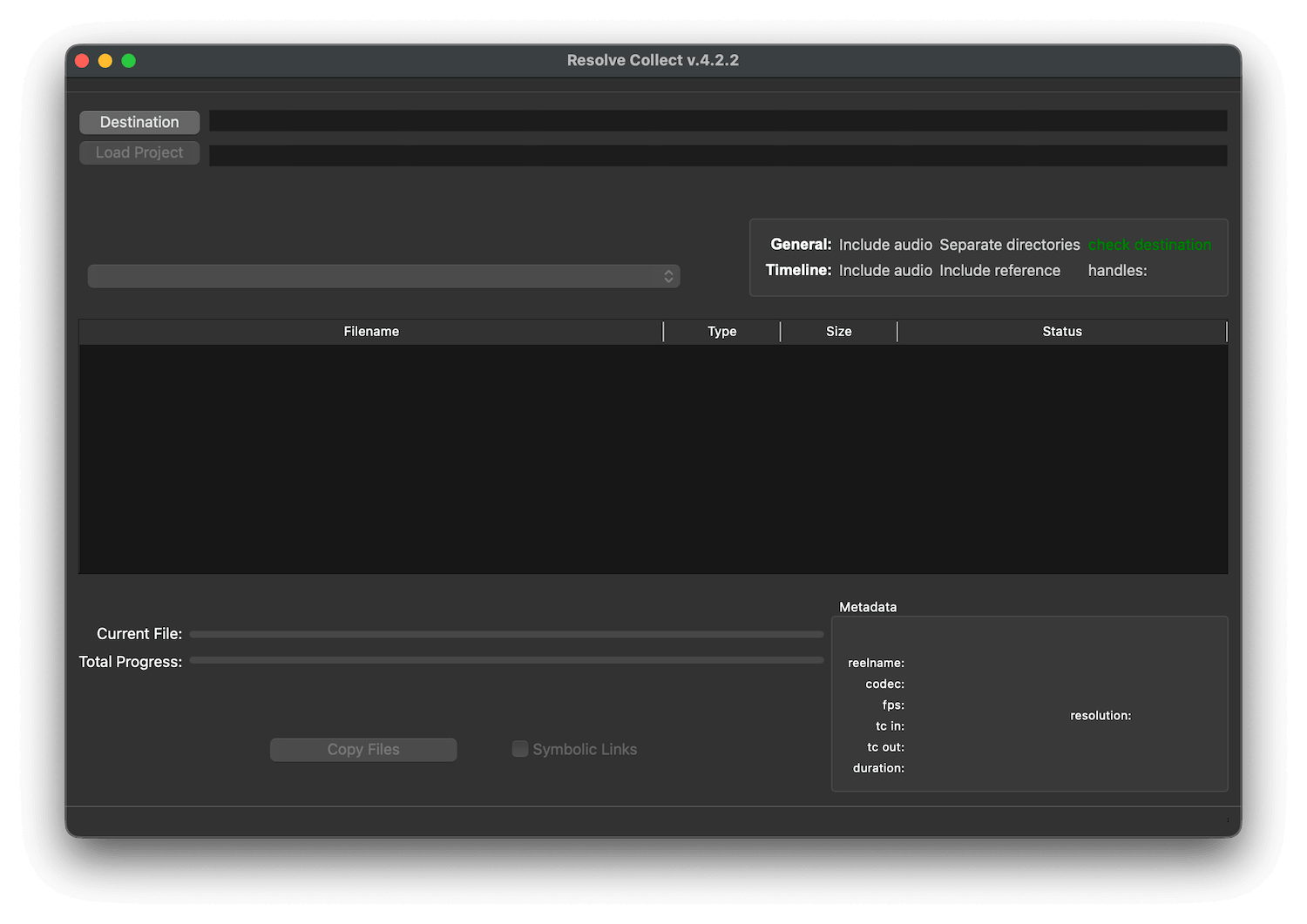
Select the full Media Pool, the Master Session, or any individual Timeline in the project. Resolve Collect calculates the total size required at the destination so you know exactly how much space you need before starting the copy.
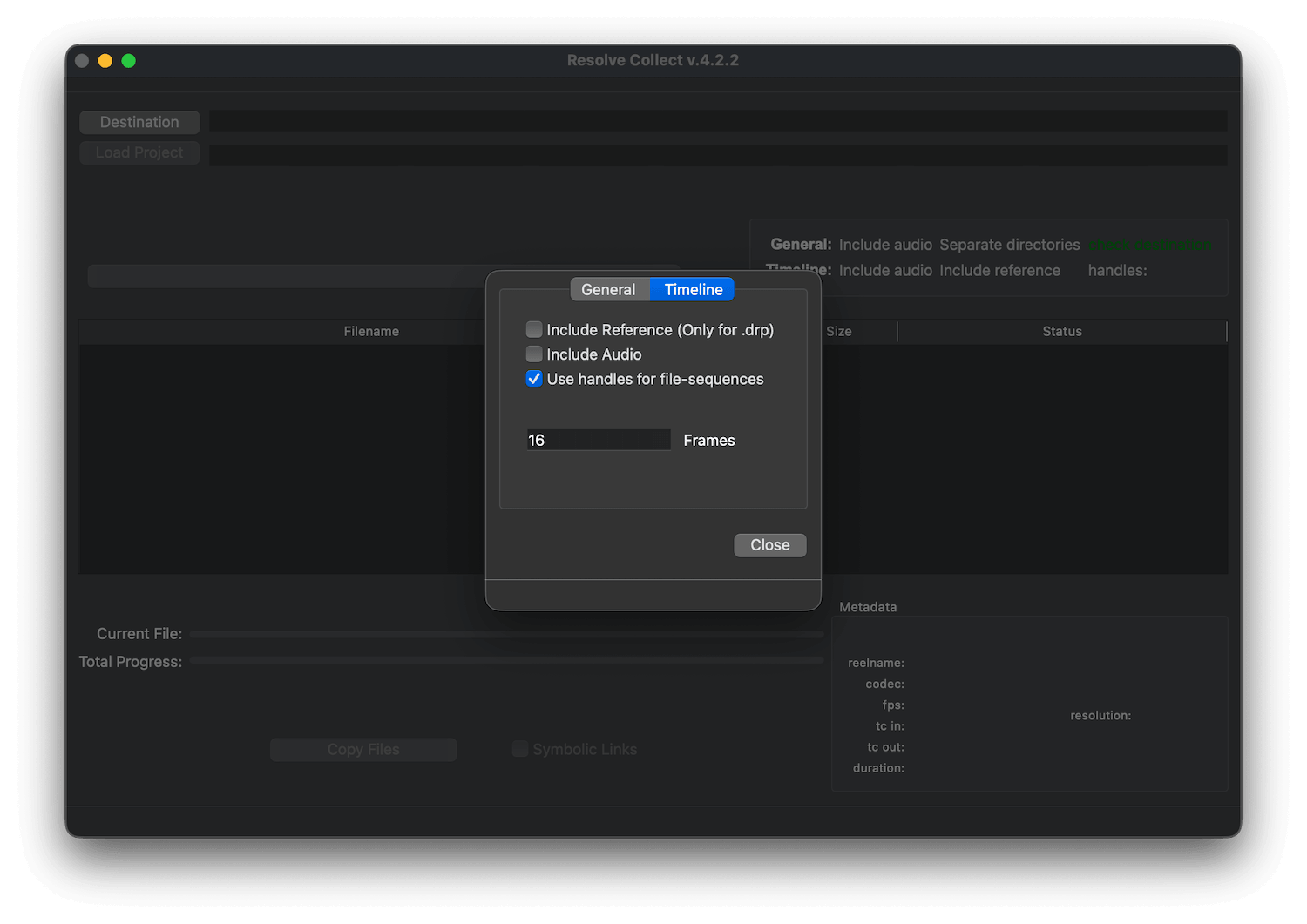
When collecting a Timeline, Resolve Collect copies only the frames actually used with optional handles for image sequences such as DPX, EXR or TIFF. This can save enormous amounts of storage compared to copying entire sequences.
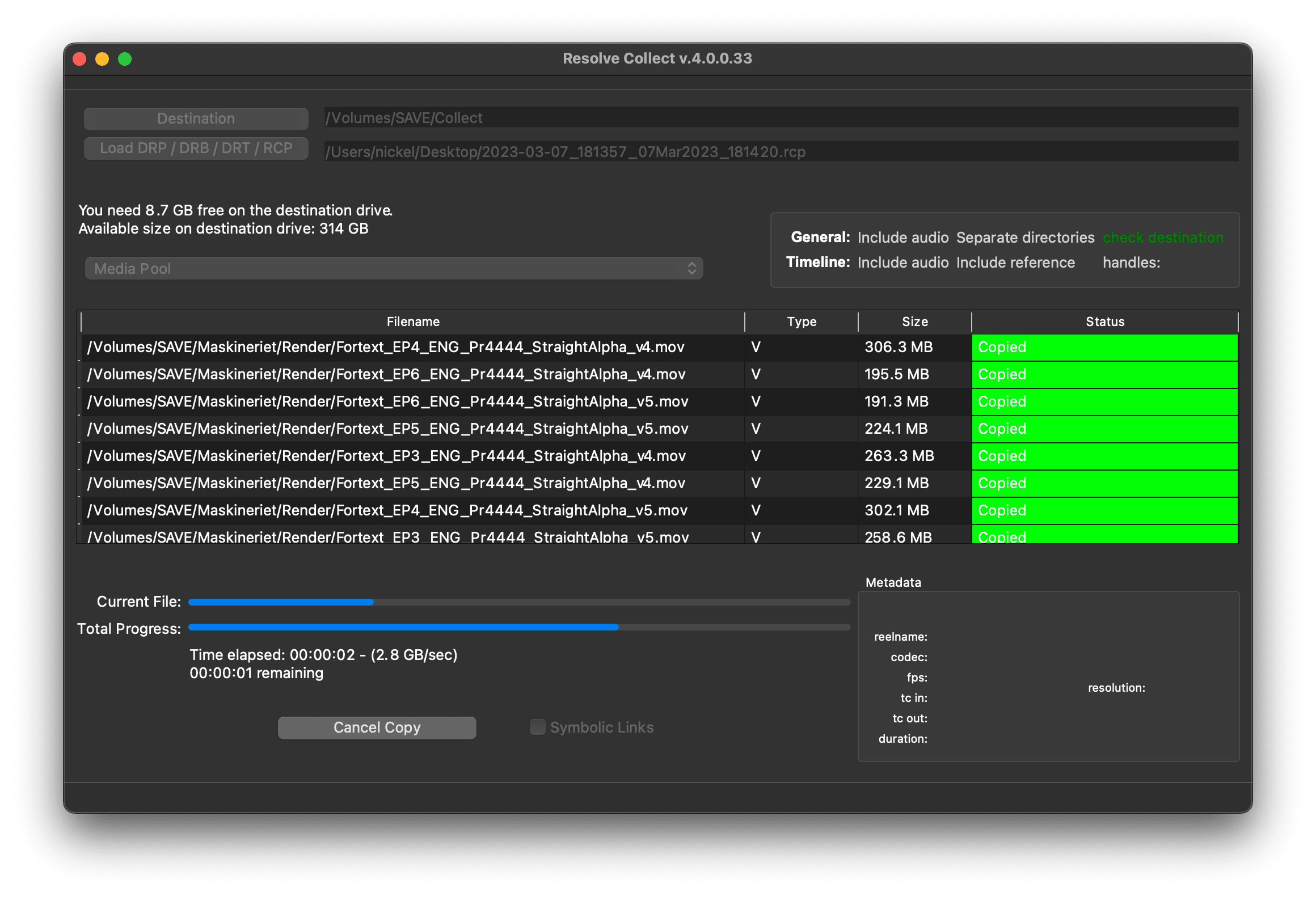
Fine-tune every collection with per-project preferences. Choose to include audio-only files from the Media Pool, copy files to separate Video, Audio, Matte and Offline subdirectories, or enable the "check if files exist at destination" option to skip files that are already copied and only transfer what is truly missing.
Per-timeline options let you include the Offline (Reference) video clip, include Chase Audio clips, and add handles to image sequence ranges so grading has room to breathe at cut points.
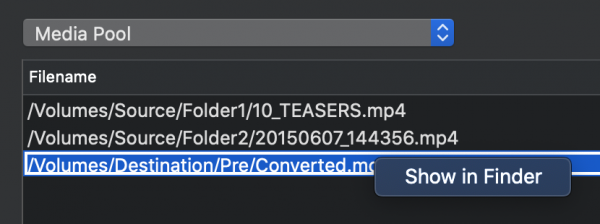
Right-click any row in the file list to reveal the source file directly in Finder. You can select multiple rows and reveal all of them at once making it easy to verify that the correct versions of your media are being collected.
Instead of physically copying files, Resolve Collect can create symbolic links to the originals. This is especially useful for tape-based backup workflows where you want a virtual collection without duplicating data on disk.
DaVinci Resolve 18 changed the project format, so Resolve Collect ships with a Lua script that exports an .rcp (Resolve Collect Project) file directly from within Resolve. Open the Workspace → Console to see the script feedback, then select Workspace → Scripts → ResolveCollect → Export Project, choose a destination folder.
macOS install path:
/Library/Application Support/Blackmagic Design/DaVinci Resolve/Fusion/Scripts/Utility
Windows install path:
%ProgramData%\Blackmagic Design\DaVinci Resolve\Fusion\Scripts\Utility
Place the Export Project.lua in the Resolve Collect folder, or replace an existing file.
Not supported are: Multicam clips, Compound clips, FCPX XML, Trimming of video files
We offer three types of licenses. The single-user license is ideal for freelancers who want to use the software on one or two computers. This license is tied to a single account. For companies, we offer a team license, which is bound to the company. The number of licenses can be chosen upon purchase, with a minimum of three licenses. We also offer an enterprise option. Please contact our sales team for more information. All licenses are perpetual.
Зверніть увагу: сам плагін наразі доступний лише англійською мовою.
You will be redirected to the secure "Paddle" checkout. Paddle.com is the Merchant of Record.
Reverse-Charge: If you are buying for a company and have a VAT ID, you may be able to use the reverse charge procedure in some countries. On the checkout page, click "Add VAT ID" on the left after selecting your country and postcode.
Resolve Collect and MediaDB
Якщо у вас виникли запитання або побажання щодо функцій, будь ласка, зв'яжіться з нашою службою підтримки. Ми будемо раді допомогти вам!
Після завантаження розпакуйте zip-архів і запустіть файл .pkg. Далі просто дотримуйтесь вказівок майстра встановлення.
From the app menu, select File > Register. Enter the Username and Key you received in the e-mail after purchase.
To remove a license from a device, choose File > Register from the app menu. Click on "Remove License".
Collecting the Media Pool copies all files linked to the project. Collecting a Timeline copies only the files used in that specific timeline and for image sequences, it can trim to only the frames used, which saves significant storage space.
Yes. Resolve Collect must run on the same machine where the DRP or RCP file was created, to ensure that all file paths match.
Так, якщо доступні оновлення, ви можете завантажити їх безкоштовно.
Ні, цей додаток працює в режимі офлайн і не ділиться жодними даними вашого проекту в Інтернеті.
Resolve Collect is available for macOS
Ви можете просто видалити файл .app зі свого комп'ютера.
Якщо вам потрібна функція для додатку, нова опція або кастомна версія, будь ласка, надішліть нам повідомлення. Ми надаємо індивідуальні рішення для вашого бізнесу.
Nikolai Waldman leads development for this app, which is published and distributed via EditingTools.io.